SendMail 1.01
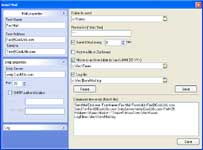
Do you have to do routine work of watching some folder in case there have appeared any file and then you have to resend it? Now you can get down to something more interesting. Just download SendMail and let it do everything for you. For example Send Mail can receive the faxes, place them in one folder and in certain time resend them to the addresses you need. You may choose the periods of time in which SendMail will send the faxes. You have more problems? SendMail is here to help you. For example you have to send some file through scheduler or in some other way. SendMail will simplify the task. SendMail can not only send the file but also compress it before sending. Besides SendMail has the option of moving files to certain archive folders. The most handy one is DD/MM/YY. Moving the files to this folder Send mail will make the current date the name of it. Let the machine do the routine!
Product Info
Publisher: Helmsman
Size: 1.2 MB
OS: Win95,Win98,WinME,WinXP,WinNT 4.x,Windows2000
Install: Install and Uninstall